
Channels 2.0 is now in GA
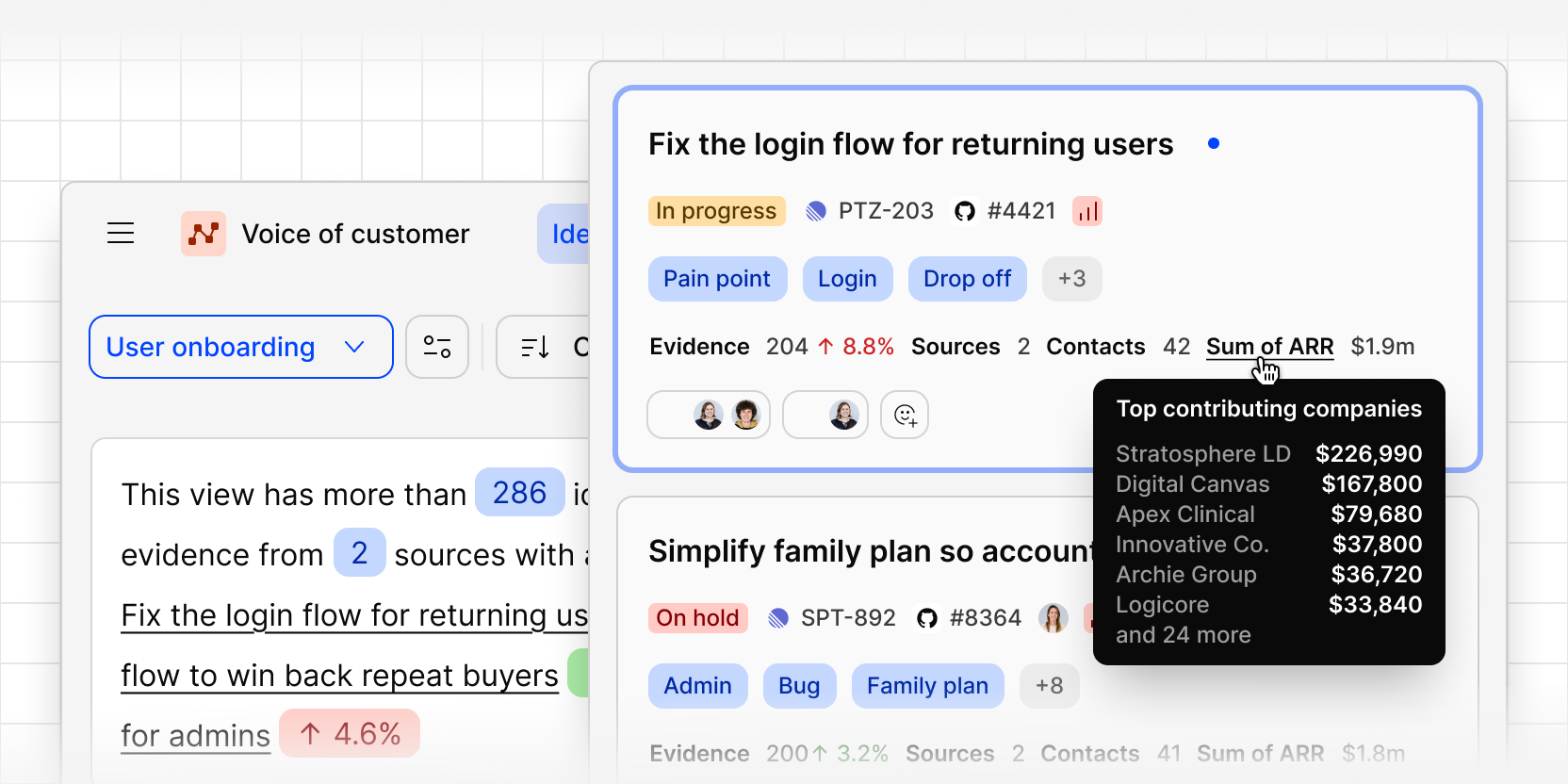
Channels 2.0 is now generally available to every Dovetail customer. After a closed beta with design partners in July and an open beta in September, it's now the standard Channels experience.
Channels 2.0 turns feedback from all your sources into ranked ideas worth acting on. Each idea groups the feedback pointing at the same underlying problem, and ranks it by how often it comes up, how severe it is, how many accounts it affects, and how much ARR sits behind it. Every idea links back to the original tickets, calls, and reviews that support it.
What's in Channels 2.0
- Ranked ideas: feature requests, bugs, and pain points surface as concrete ideas, sharpened by your workspace context, tag boards, and CRM data.
- Commercial context: see the ARR, plan tier, segment, and accounts behind every idea and piece of evidence, enriched from Salesforce or HubSpot.
- Tags: Dovetail automatically tags every piece of feedback, so you can see all the evidence tied to a product area, business unit, feature request, or pain point. Link an existing workspace tag board to consolidate feedback across projects and channels.
- Saved views: filter by tags, contacts, product areas, and more, then save views for each business area or team.
- Snapshot summaries: every saved view opens with a summary of its ideas, evidence, and the top ideas trending up or down.
- Chat with a saved view: ask questions about the feedback in a view, scoped to just that slice.
- Create your own ideas: bulk select evidence to create a new idea or move it between ideas.
- Activity log: follow every action on an idea, from status changes to docs created and ideas sent to other tools.
- Send ideas anywhere: send any idea to Jira, Linear, Figma Make, or Claude with the full context attached.
- Close the loop: notify the customers who raised the feedback once an idea is resolved.
Channels 2.0 & Workspace Sources
Channels 2.0 draws its data from workspace Sources. Workspace admins connect tools like Zendesk, Gong, Intercom, and Qualtrics once, from the Sources page, and any channel can use them. Data syncs continuously, so you no longer need to set up the same integration channel by channel.
If you're not a workspace admin, you can request a source from the same page and your admin is notified.
What's changing for existing channels
If you're already using Channels 2.0, there's nothing you need to do. Your channels, sources, ideas, and saved views carry over as they are. The only visible change is that the 2.0 badge goes away, since 2.0 is now the standard experience.
If you're using legacy channels, here's what changes:
- They keep working, show a Legacy label, and continue to ingest data from their existing connections.
- You can no longer connect new data sources or integrations to them.
- They won't migrate to Channels 2.0 automatically. To move across, create a new channel and add the same sources.
- We expect to retire legacy channels in early 2027, and we'll give you plenty of notice before that happens.
Every new channel you create uses Channels 2.0 and draws data from workspace Sources.
Get started
- Connect your feedback tools on the Sources page.
- Create a new channel and choose which sources and datasets feed it.
- Explore your ranked ideas as data flows in. We recommend at least 200 data points for the best results.
Learn more in our Channels guide and Sources guide.