
Channels 2.0 in GA: one customer context layer for every team
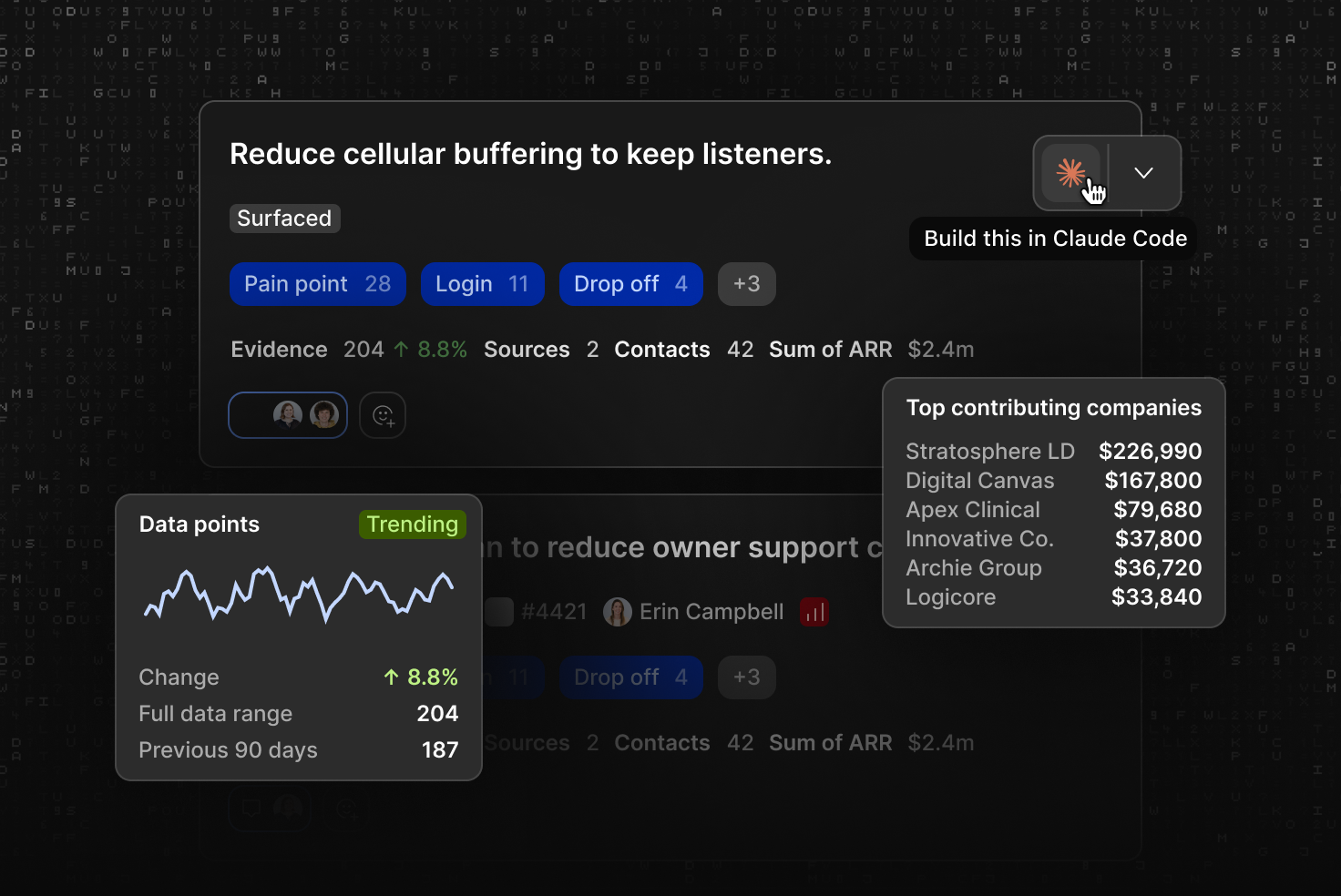
A support ticket tells you one customer hit a problem. It doesn’t tell you how many others hit it too, how much revenue sits behind them, or whether anyone’s already working on a fix. Channels 2.0 answers all three.
We’re excited to announce that Channels 2.0 is now generally available to all Dovetail customers. Here’s what changes, and why the context around customer feedback matters just as much as the feedback itself.
Feedback without context is just volume
Since Channels first launched, Dovetail has classified more than 61 million data points across support tickets, app reviews, surveys, and sales calls yet the hard part is still knowing which of it deserves a place on the roadmap.
A product manager looking at hundreds of tickets about a broken login flow can’t tell from the tickets alone whether they come from free-tier trial users or large enterprise accounts, or whether support has already escalated it. Without that context, roadmap prioritization is based on gut feel.
Every piece of feedback, layered with context
Channels 2.0 means every piece of customer feedback arrives with the context your team needs to act on it: where it came from, who it came from, which part of the product it touches, and who’s working on it.
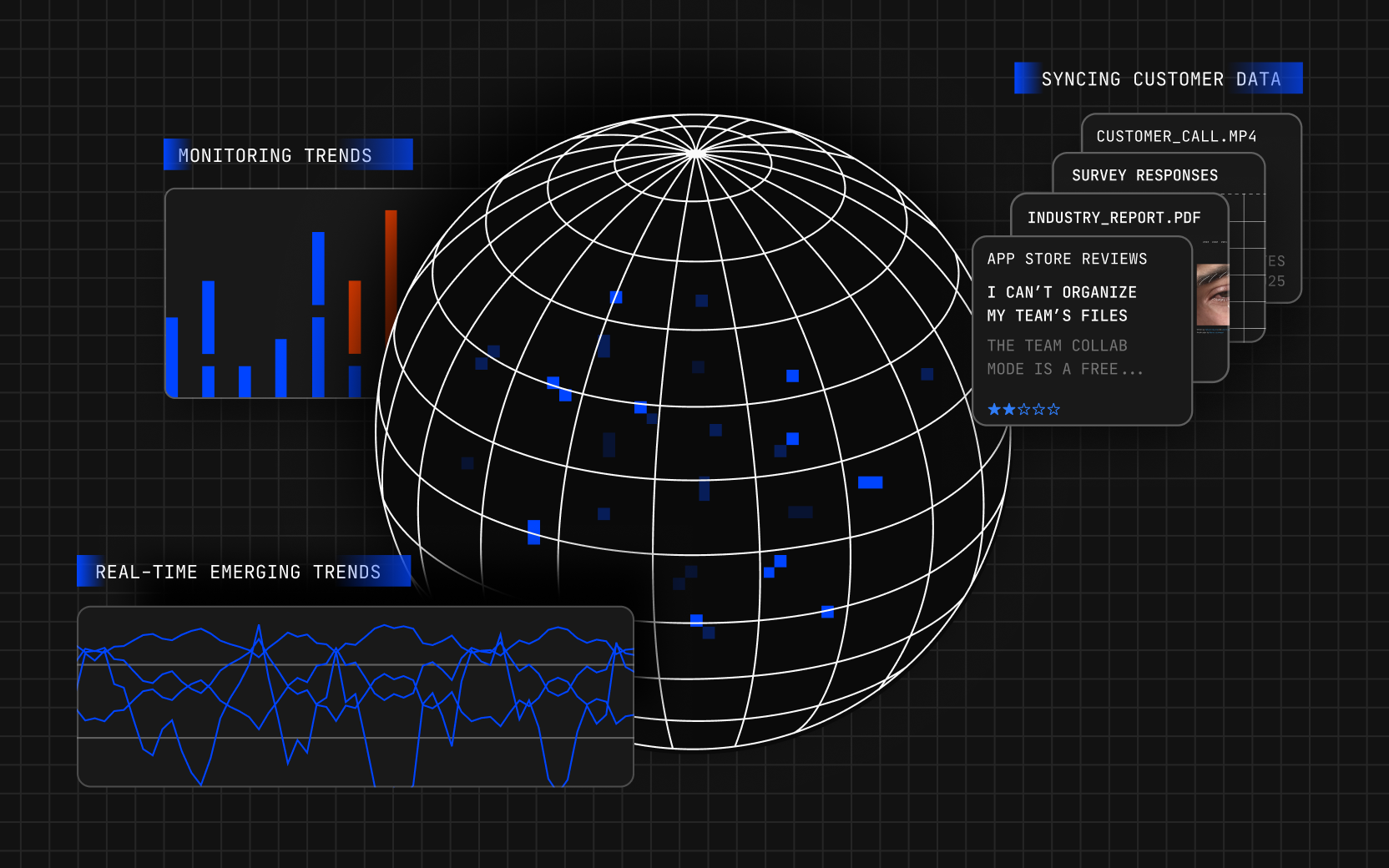
Working as continuously updated streams of customer feedback from the tools your team uses, Channels reads each piece of feedback as it arrives, groups the feedback that points at the same underlying problem, and turns it into an idea—a concrete feature request, bug, or pain point backed by the evidence behind it.
Channels 2.0 stacks four layers of context on top of that raw feedback:
The source layer
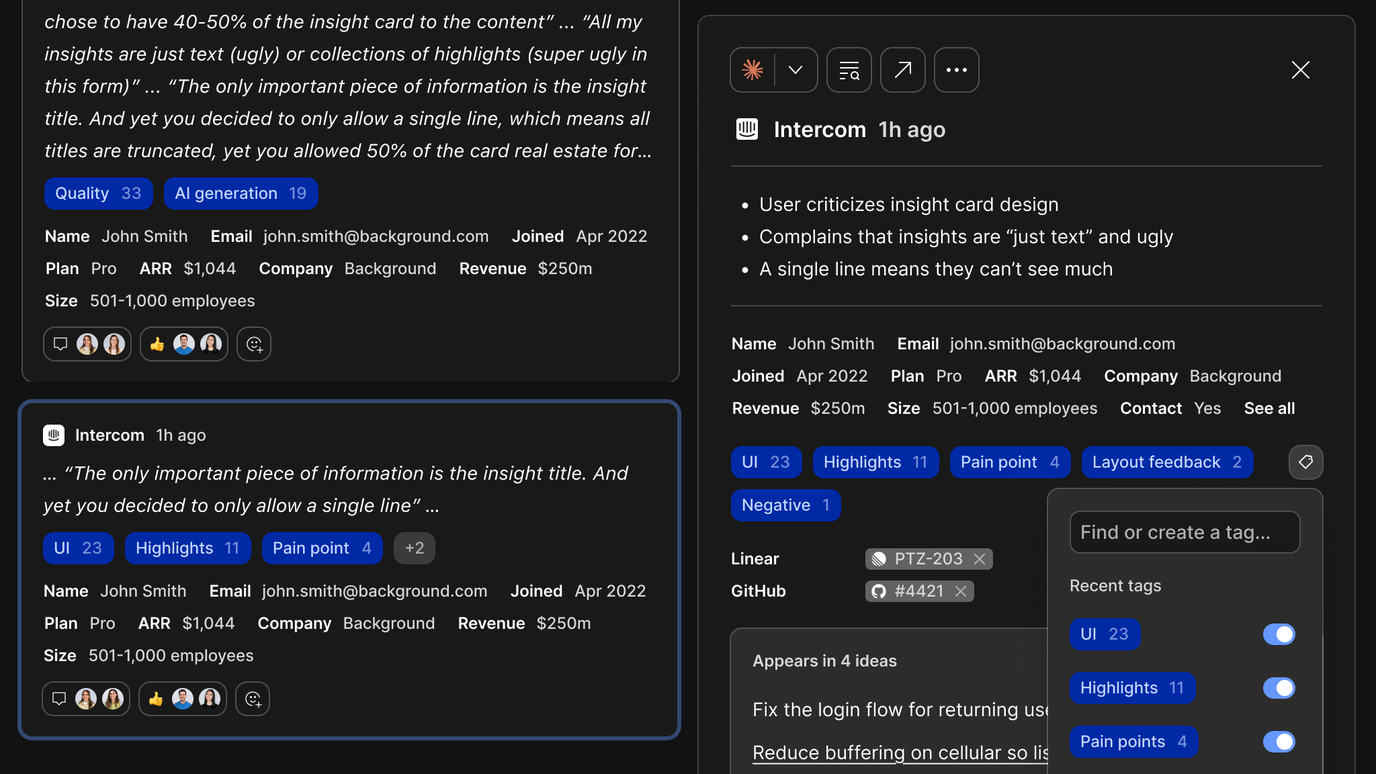
Every team sees the full picture of what customers are saying, wherever they said it. A complaint raised on a Gong call and the same complaint in a Zendesk ticket land in the same idea, so nobody has to spot the pattern by hand, and every idea links back to the original tickets, calls, and reviews.
Behind that, workspace admins connect tools like Zendesk, Gong, Intercom, and Qualtrics once from the Sources page and any channel can draw on them. Data syncs continuously, so integrations don’t need to be built channel by channel.
The commercial layer
Your team can see which problems affect your most valuable accounts and fix those first. A login bug reported by a free-tier user and the same bug reported by a $250,000-ARR enterprise account no longer look identical because Channels ranks every idea by how often it comes up, how severe it is, how many accounts it affects, and how much annual recurring revenue (ARR) sits behind it.
The organizational layer
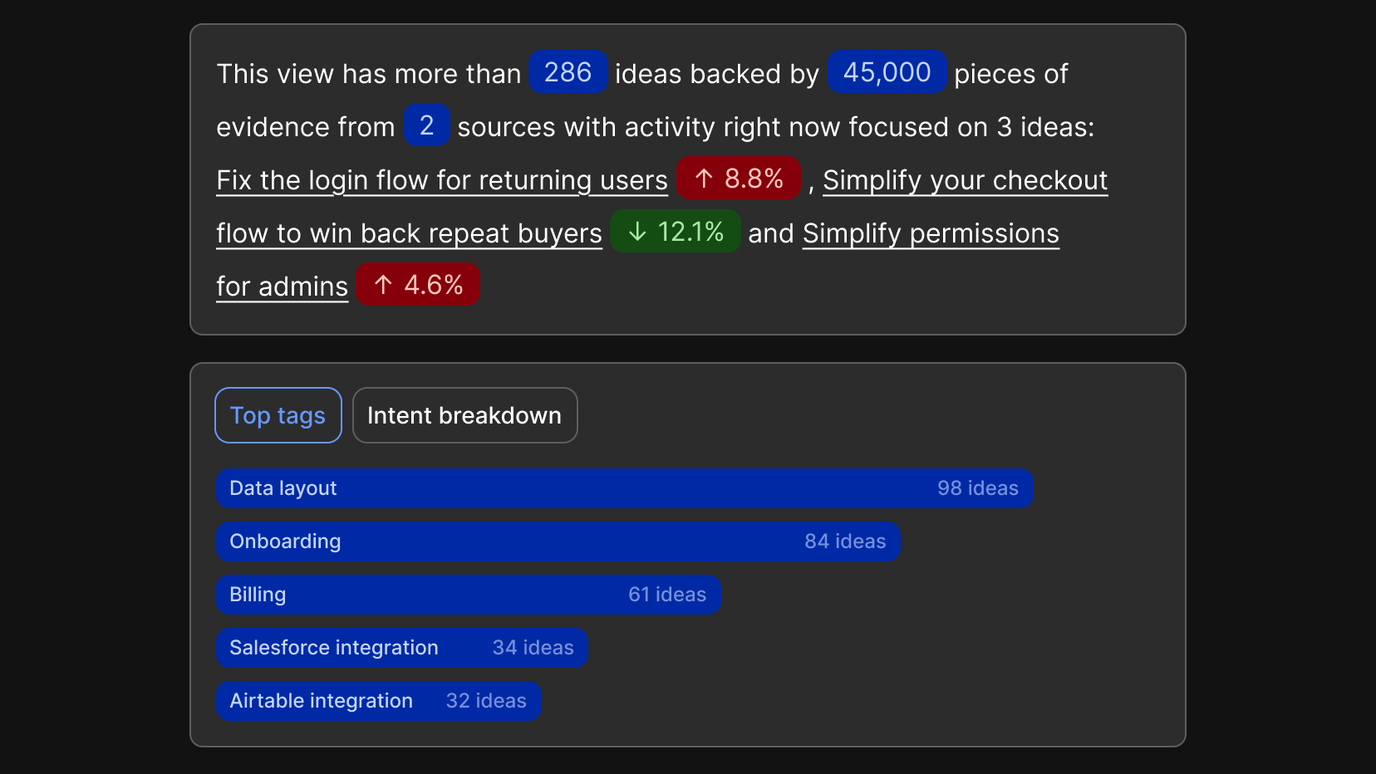
Every team gets its own focused view of customer feedback, described in the language it already uses. A team lead opens their saved view and sees ideas and the pieces of evidence they hold, plus which ideas are trending up or down so they know exactly where to focus.
That works because Dovetail automatically tags every piece of feedback by product area, business unit, feature request, or pain point. Channels uses the same vocabulary your team uses in Projects, so the “checkout” your research team tags in interviews is the same “checkout” that shows up in support tickets.
Teams save filtered views for their own product area, segment, or region, and each one opens with a snapshot summary.
The team layer
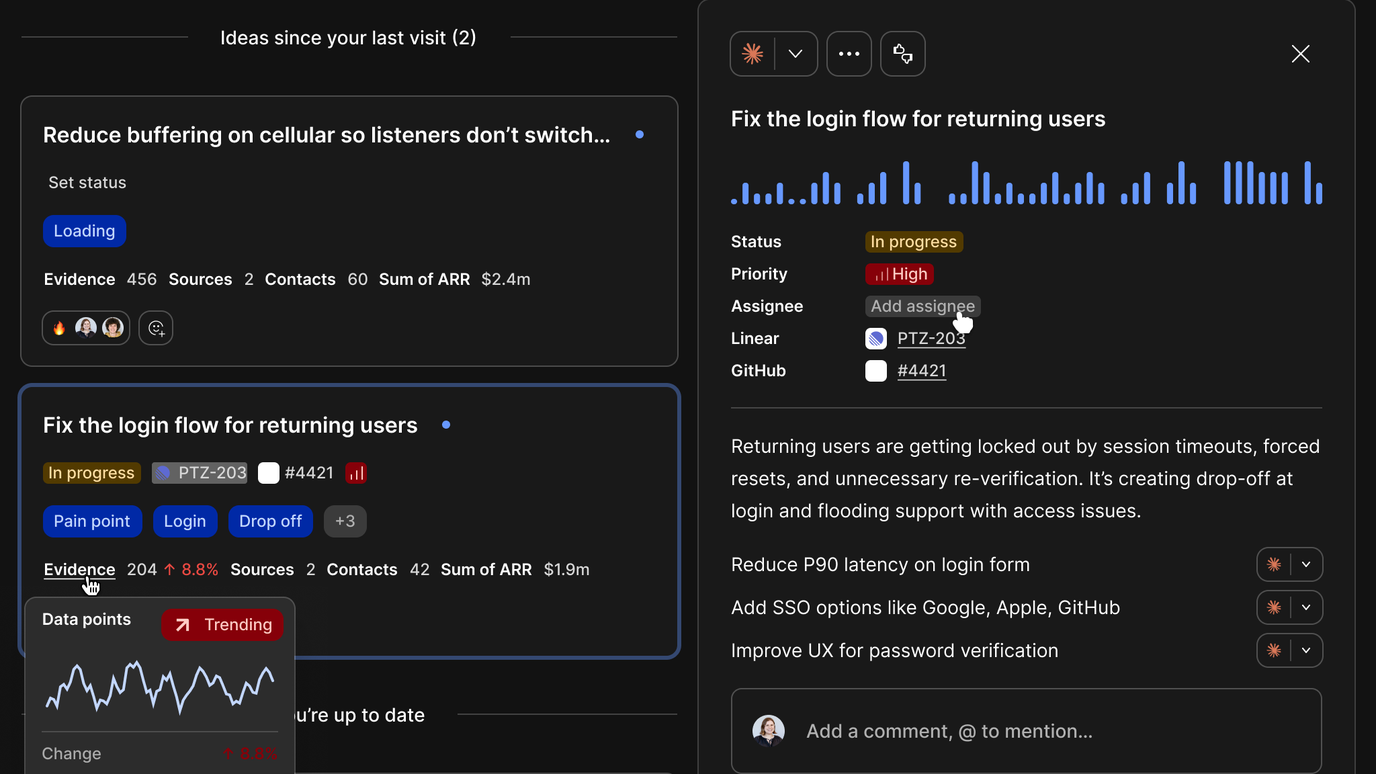
Customer problems stop getting lost between teams and nobody has to manually chase a status update to find out whether one has been flagged or is being fixed. Anyone who opens an idea can see who owns it, how it’s prioritized, and every step that’s been taken to execute on it.
Every idea carries an owner, a priority, and a status, and teammates can comment, react, and @mention each other directly on it. A new activity log records every action along the way, including status changes, Docs created from the idea, and handoffs to Jira, Linear, or Claude.
When every team shares the same context
This is where Dovetail becomes a single customer context layer for the whole organization: support, product, design, sales, and leadership draw on the same understanding of customers and it updates as new feedback arrives.
That means PMs bring revenue-ranked ideas to planning with ARR and affected accounts attached instead of anecdotes. Customer-facing teams can follow the tickets they logged all the way to a resolved idea. Leaders see what’s trending in each part of the business without commissioning a report, and anyone can Chat with a saved view to ask questions scoped to that exact slice of feedback.
At Achievers, a cross-functional Insights Committee of data stewards uses Channels to bring emerging trends to the Senior Leadership Team every quarter.
“Frankly, without Channels, this initiative would have been too resource-intensive to sustain. It’s what turned our vision for the Insights Committee into a scalable, repeatable mechanism that’s now a critical part of our planning cycle.” —Marie-Andrée Turgeon, Senior Manager of Product Operations
Closing the loop with customers
Customers who took the time to report a problem hear back when it’s fixed, which gives them a reason to keep telling you what isn’t working. Once an idea moves to Resolved, Channels surfaces every customer who raised it and drafts a personalized note your team can review and send.
What changes today
Every new channel created now uses Channels 2.0 and draws on workspace Sources, with ranked ideas appearing as the data flows in.
Legacy channels keep working and show a Legacy label, but they can’t take on new data sources and won’t migrate automatically. We expect to retire them in early 2027 and will give plenty of notice beforehand.
Every support ticket, sales call, and review your customers send is the feedback. Channels 2.0 puts the rest of the context around it, so your next roadmap decision starts from evidence the whole organization can see.
Read our Channels guide and changelog for setup details and more.
Related Articles
.png)