
22 Apr 202613:00
Set automatic redaction per Project and Channel
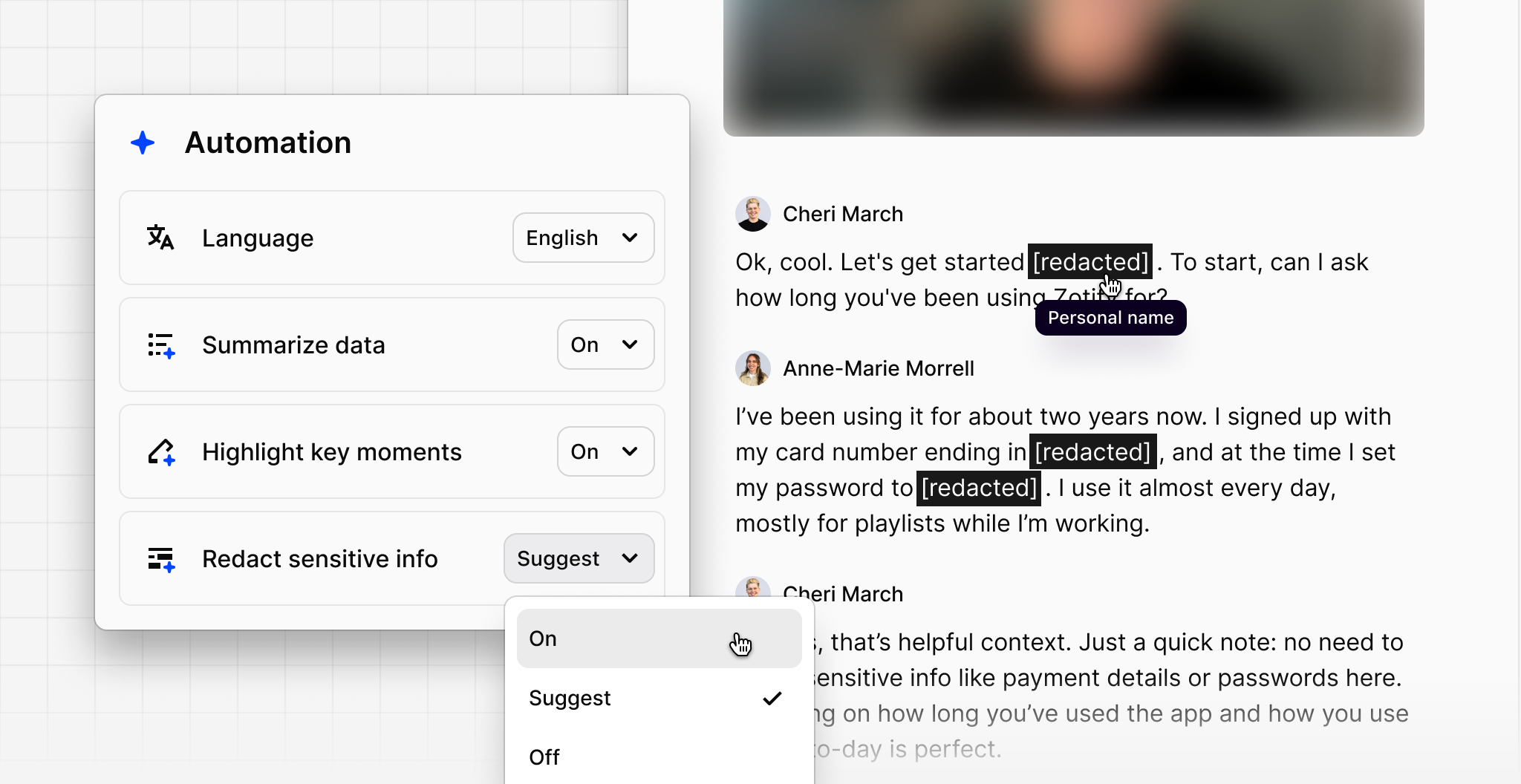
You can now enable or disable automatic data redaction at the individual project or channel level, giving you more granular control over how sensitive information is handled across different data sources.
Not all data needs the same treatment. If you're pulling in public reviews for testimonial quotes or ingesting help center content, blanket redaction can get in the way. Admins and workspace owners can now configure redaction per project or channel — so every team working with customer data can get what they need from every source.
To update the setting, click More (•••) in the top-right corner of a project or channel, select Automation, then set Redact sensitive info to On, Suggest, or Off.