
23 Jun 202617:15
Deep research mode in chat
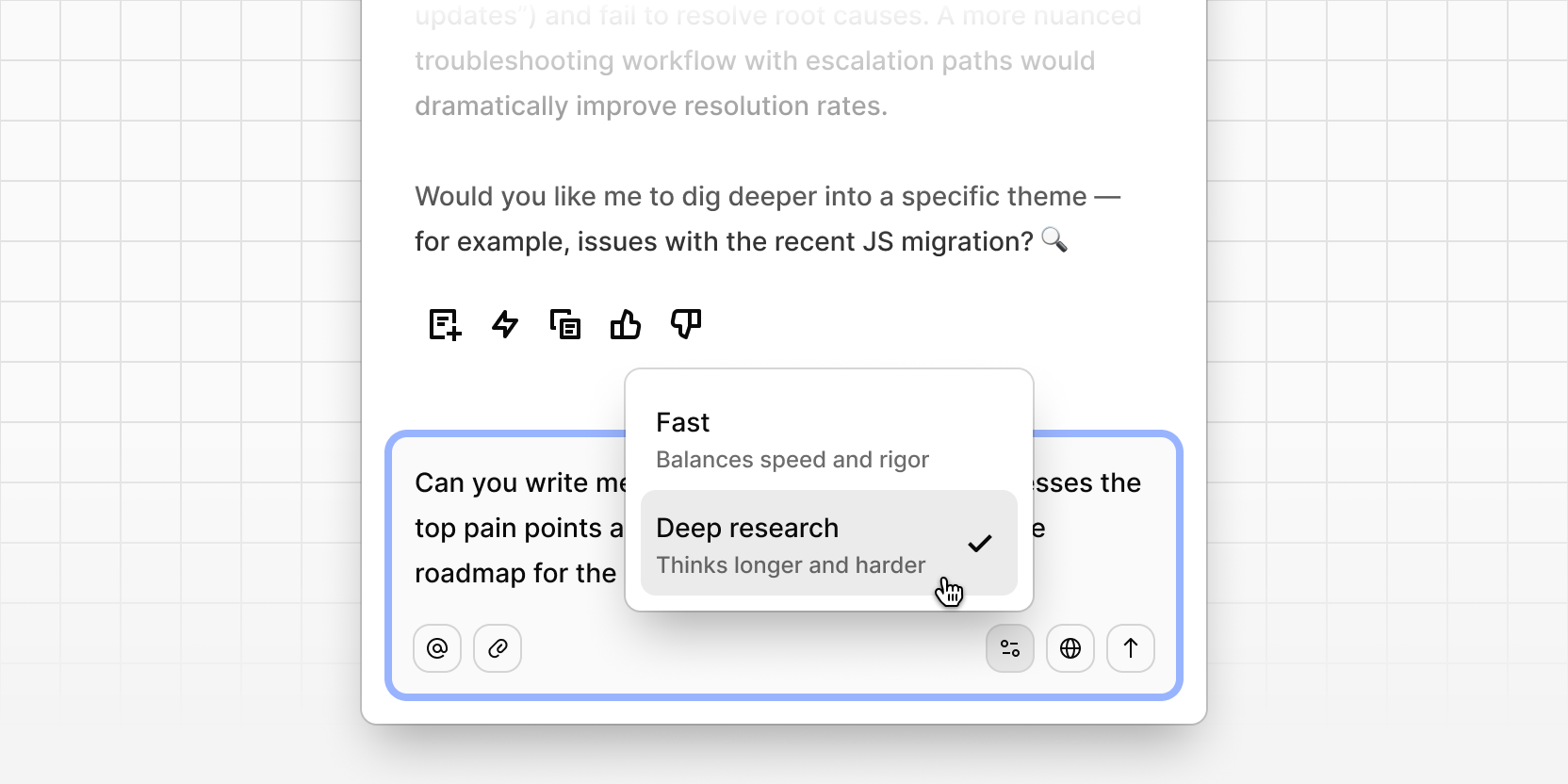
Chat now has two modes: Fast and Deep research. Use the mode selector in the chat prompt toolbar to switch between them.
Fast returns instant, cited answers for everyday questions—what's trending, what customers are saying, where the signal is.
Deep research takes more time to reason across more of your evidence, connecting threads from sales calls, support tickets, and research sessions to handle your most complex questions.
Start fast, and switch to deep research when the answer's worth the wait.
Fast prompts to try:
- "What are the top three complaints about onboarding this month?"
- "Summarize what customers said about pricing in the last 10 support tickets."
- "Which feature got the most mentions in NPS responses this quarter?"
- "Pull the quotes where customers mention slow load times."
Deep research prompts to try:
- "Why are enterprise customers churning, and what's the common thread across the accounts we lost this quarter?"
- "Compare what Sales is hearing on calls with what Support sees in tickets about the new dashboard feature—where do they disagree?"
- "Build the case for prioritizing mobile next quarter using all the evidence we have, grounded in potential revenue impact."
- "How has sentiment about our pricing shifted over the last six months, and what changed?"
- "What customer signals predicted the accounts that expanded, and which ones should we watch?"