
Contact syncing and filtering in Channels 2.0
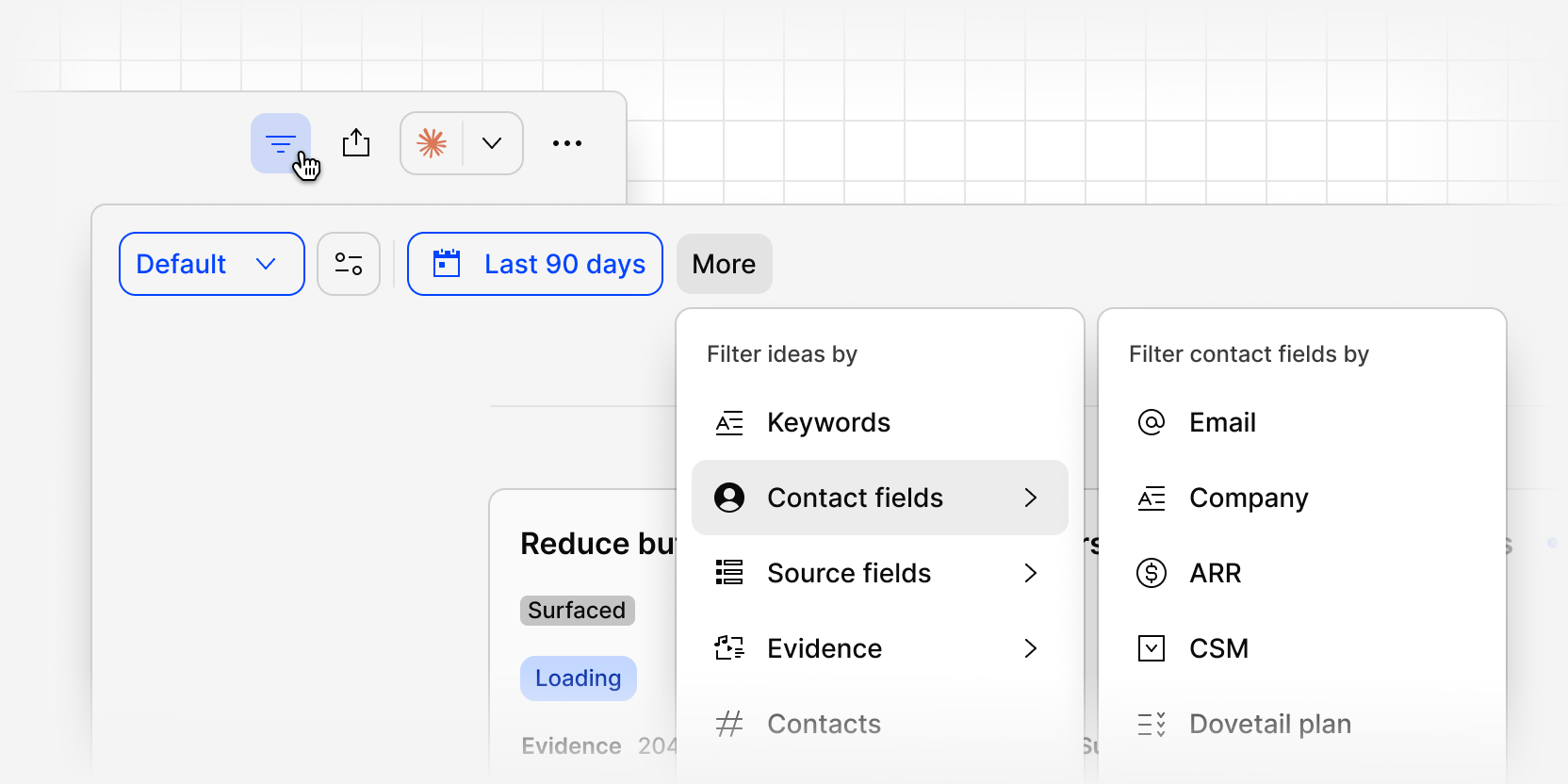
Ideas and evidence in Channels now carry the customer context behind them. Connect Salesforce or HubSpot and Dovetail matches contacts by email, enriching every idea and piece of evidence daily with fields like company, industry, ARR, and CSM owner.
Once contacts are synced, you can filter ideas and evidence by any of these fields. Narrow the feed down to a single industry, an ARR band, or everything tied to a specific CSM's accounts, and see exactly what that slice of customers is telling you.
Save a filtered set as a view so you can return to the same slice of feedback whenever you need it, without rebuilding the filters.
To filter by contact fields:
- Select More
- Select a contact field like Company, Industry, ARR, or CSM Owner
- Choose your desired value
- Evidence and ideas will now be focused to those areas
To get started, you can map your contact identifiers and enrich your contacts data with Salesforce or HubSpot from Settings > Integrations > Contact enrichment.
You can learn more about how to set up contact syncing at our help center here.