Pixel-f**ing the new chat library
Designing a chat library is easy. But Dovetail's context is fundamentally different, which meant we couldn't just copy what everyone else was doing.
Designing a chat library is easy. But Dovetail's context is fundamentally different, which meant we couldn't just copy what everyone else was doing.
Many products are now chat-first, and patterns cemented quickly with the AI boom. Adding context, turning on connectors, searching the web, all that jazz.
It's easy to copy, but it wouldn't have served all of Dovetail's use cases. LLMs don't really host internal data the way we do, which meant their context was static and relied on external connectors.
So once again, you can't use ChatGPT for that.
It started with an agent framework evaluation
A couple of months ago, one of our engineers, Seb, was evaluating frameworks to upgrade our agents architecture and spiked the Vercel AI SDK.
Pre-AI, we'd designed everything from scratch for Chat. But as it grew, that approach wasn't scaling well—every bug found and every new feature shipped required our own maintenance. As we started introducing tool calls for the agents beta, its limitations were surfacing too. By moving to Vercel's SDK, we free up maintenance time to focus on the value-add features Dovetail customers actually care about.
Seb demoed the new chat, which helped me understand not just what the framework offered, but what was possible.
Why you can't just copy an LLM
Dovetail's context is fundamentally different from a general-purpose LLM interface.
In ChatGPT, Claude, and Gemini, citations link to external content and rely on external connectors for most creation output. There's no concept of a first-class action inside the product, like creating a Doc or Channel in Dovetail.
We host internal data: years of customer calls, research sessions, and product feedback. All of it is rich context that helps researchers compile insight reports, PMs write PRDs, and designers explore concepts. To enable those jobs to be done, the new chat library needed to make that easy via Dovetail Chat.
From pen and paper to new design components
Some of the core use cases we were designing for:
- As a researcher, I want to create a Doc so I can compile an insights report to share back with the team and stakeholders.
- As a designer, I want to create a prototype based on customer insights so I can explore different design patterns and solutions.
- As a product manager, I want to create a Doc to write a PRD so I can capture requirements.
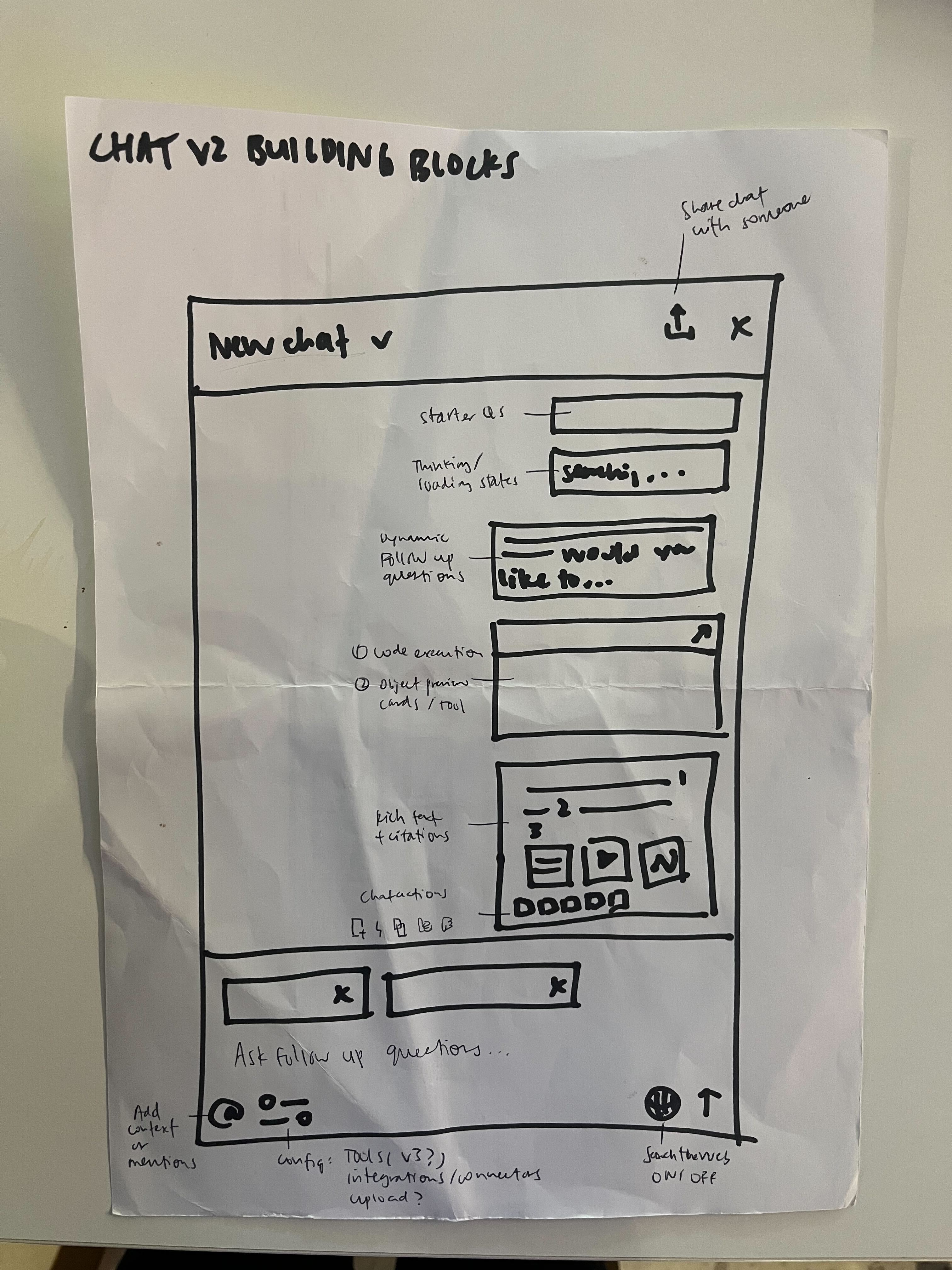
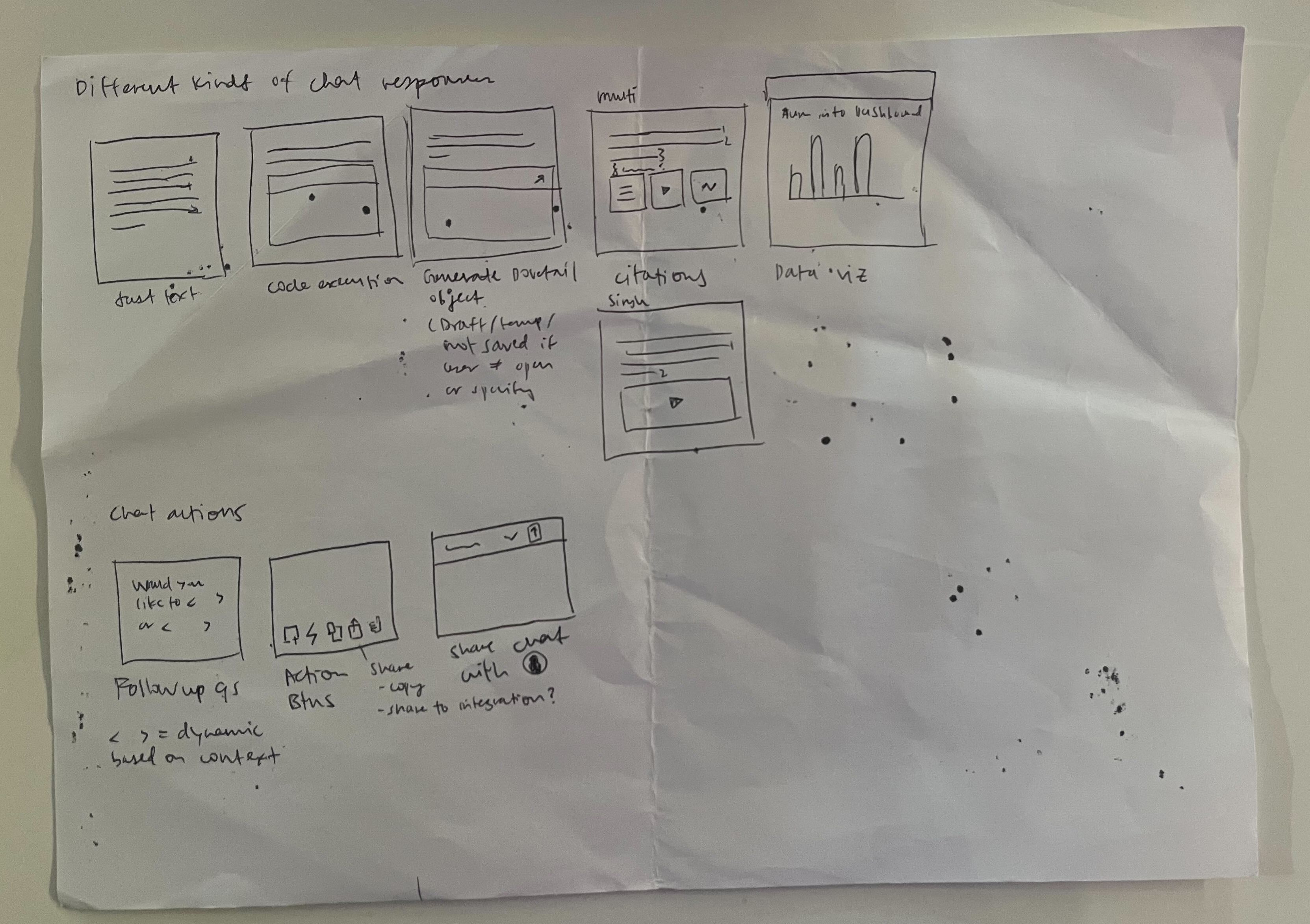
As I mapped out the flows, I started to see new chat patterns that didn't exist yet—tool calls, follow-up questions and actions to chat responses, rich citations, adding context, and sharing conversations. This chat library update would eventually serve other chat-to-creation flows too, like Create Doc and Agent.
I started by drawing out the building blocks of Chat, which helped me stress test the components. It kept me thinking in logic and components rather than jumping straight into visual details.
Designing backwards from future state
The chat spike was promising, but there was a lot to build.
We decided that the first release was about building trust. This built on what we already had, citations and thinking states, and added high-value features on top:
- Richer, more visual citations—embedding video clips and highlights within the chat response so browsing through citations is much more contextual
- More elaborate thinking states—showing the LLM's reasoning process, not generic "thinking…" copy
- Web search—so users can bring in external context like competitor research alongside their internal Dovetail data
Seeing the gaps in motion
I'd previously created a lo-fi prototype repo where I'd stripped out the database and backend to reduce setup complexity and focus purely on prototyping interactions.
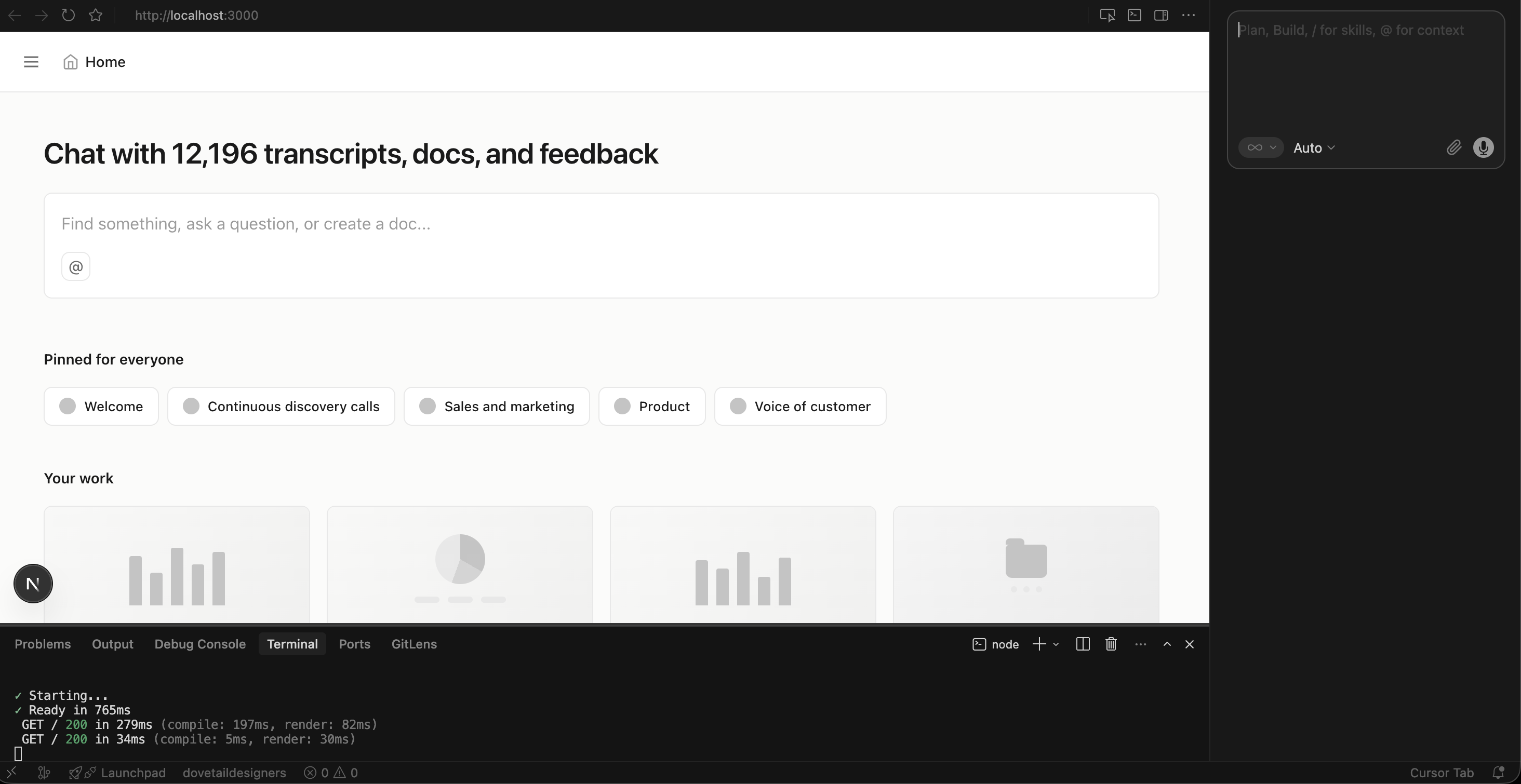
I prompted the different chat flows to see how components behaved in motion and find the gaps. The thinking state and video player pop-out when clicking citations, for example, are interaction details that were much easier to finesse in motion.
For the thinking state, I played around with its relative positioning within the chat window. As the thinking state expands, should it stay in position or follow the reasoning? Could I reuse it as the "reasoning" state after the Chat responds, or did it need to be separate?
For the video player, we leveraged an existing behavior from project data: if you're watching a video at the top of a page and scroll down, the player pops out to the bottom-right and keeps playing so you never lose your place.
But with multiple citations in a single chat response, it introduced a new layer of complexity.
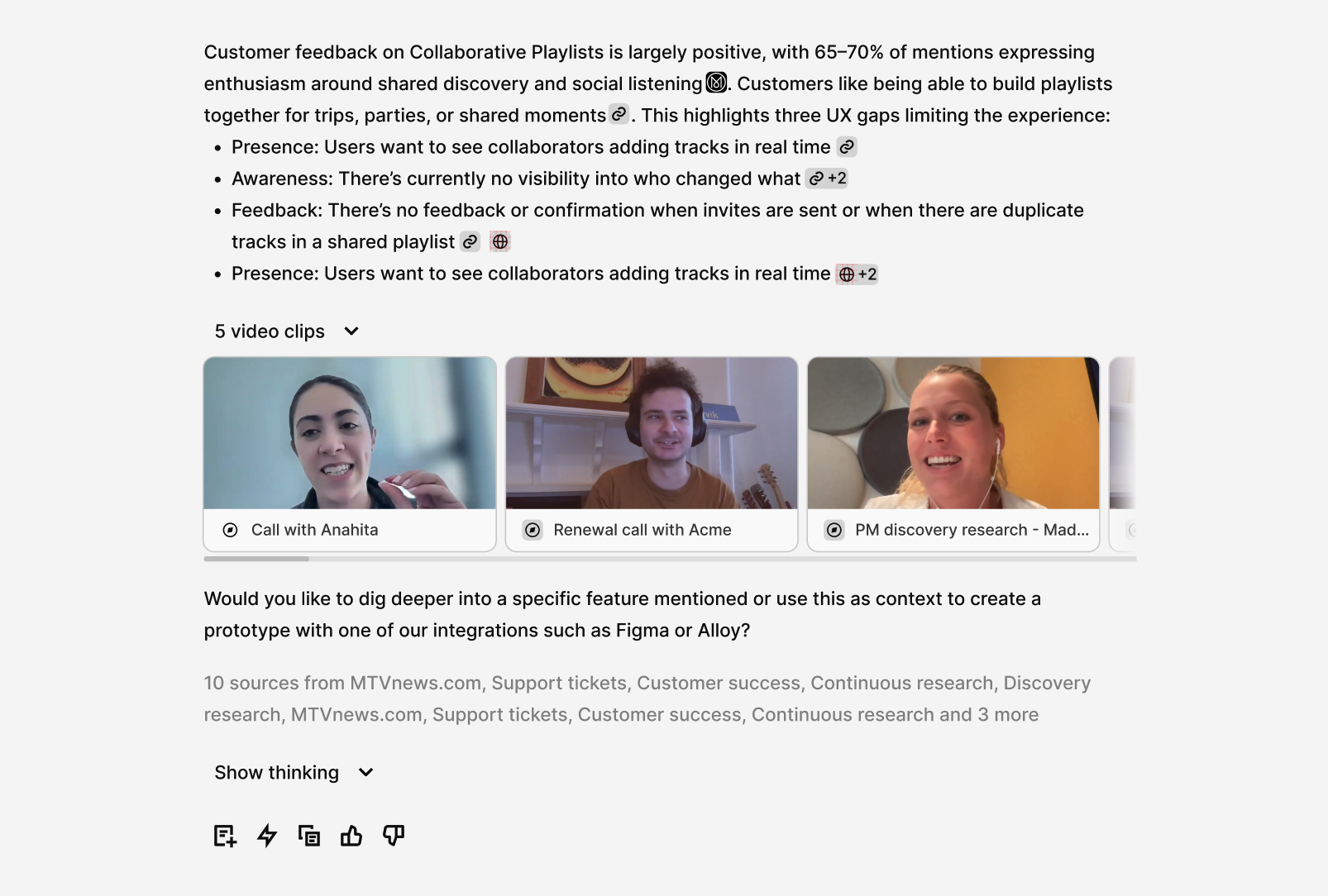
My instinct was something like a YouTube playlist, where five video clips autoplay as "chapters" in order. That interaction naturally raised a new question: how do you let someone know which context they're currently in? But this was starting to scope creep.
We'd often make trade-offs like this, descoping something and working out an interim solution that was still accessible and user-friendly, so we kept shipping at speed.
What we landed on: clicking an inline video citation plays that video with the pop-out scroll behavior intact, but no autoplay. If you clicked video two from the aggregate list, the next video would play after video two finished.
Pixel-f**ing the citation icons
Something I spent time sweating the details on was the citation icons embedded in chat responses.
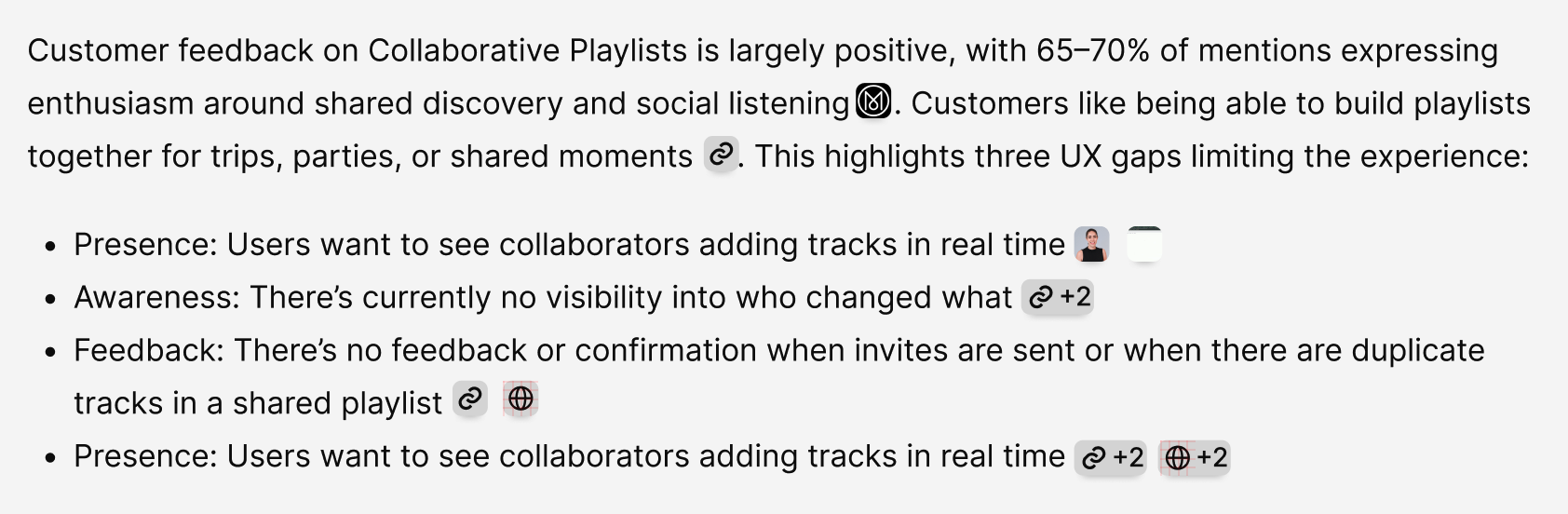
How would they scale between single vs. multiple citations? How should I represent non-video objects without cluttering the UI with too many icon variations?
One small detail we found while dogfooding: transcripts and customer calls often involve screensharing, which tends to blend into the background. I added a ShadowSubtle property to give it just a little lift. There were many micro-decisions like that.
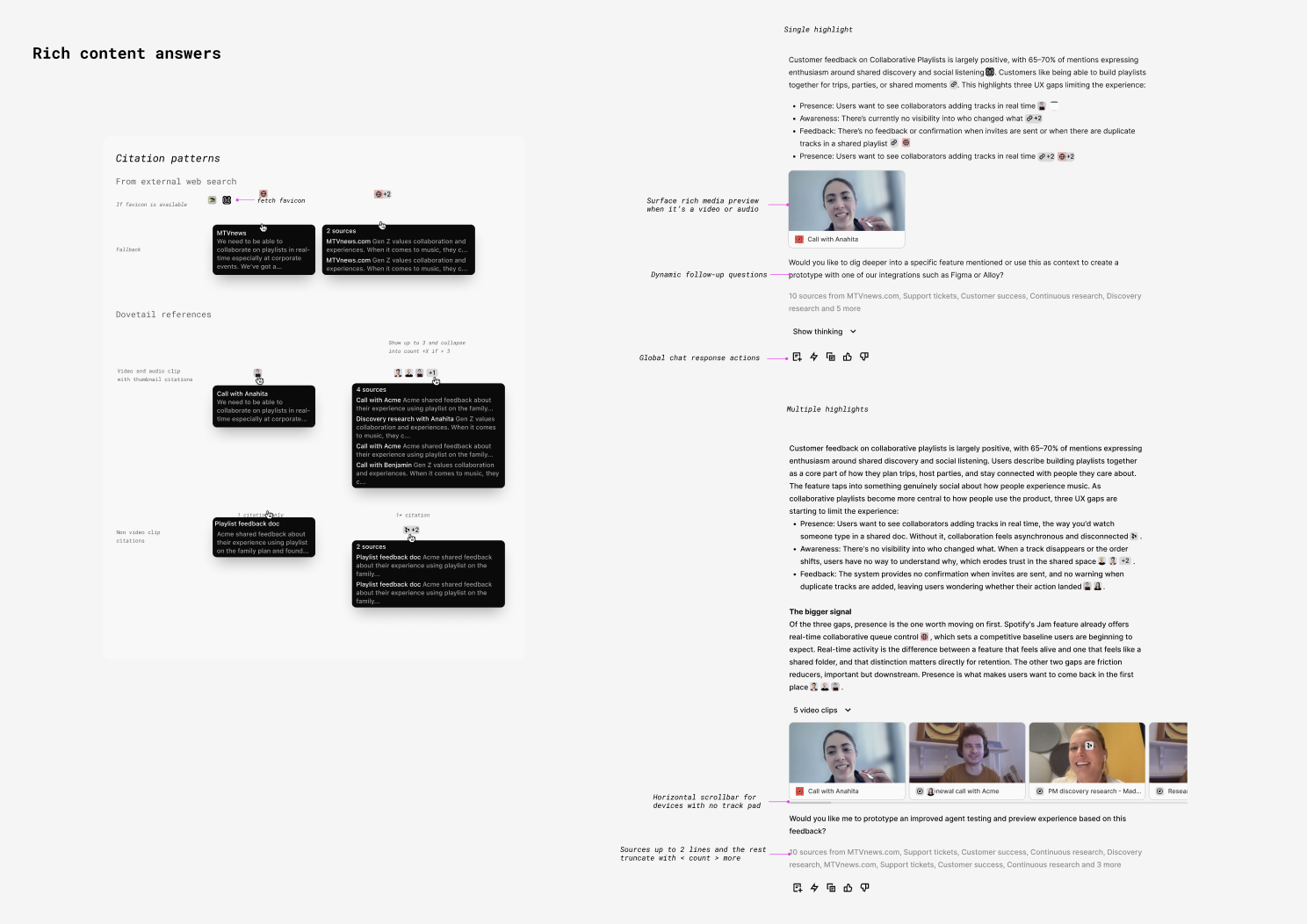
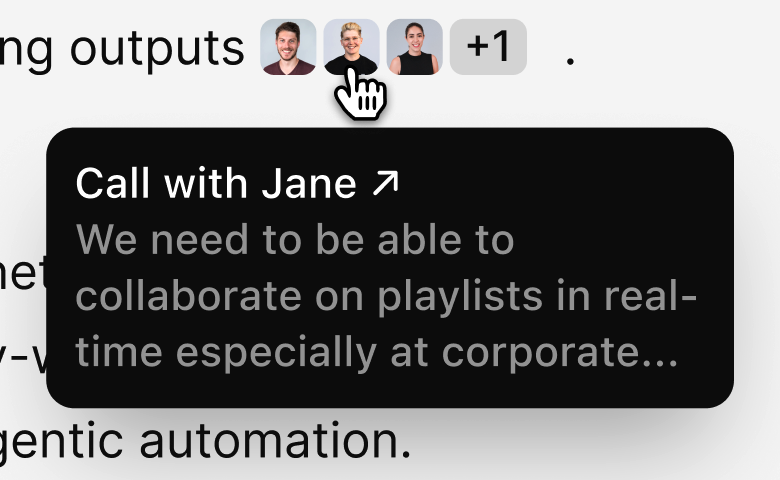
Another consideration was the navigation layer, another thing you can't just copy from LLM patterns.
On LLM platforms, citations typically link out to web results. In Dovetail, we link to objects within the workspace unless web search is turned on. We already have existing overlays and navigation patterns: when you open a Data item or Doc within a Project, it opens as an overlay dialog. For consistency, clicking a citation should follow the same pattern. The guiding principle is that users are navigating within context as much as possible.
If they want to navigate to the full object, they can click the tooltip to see it in full page.
Aaand we shipped it
For designers, our work has shifted more evenly between vibe prototyping and designing pixels in Figma. But for this particular piece of work, I haven't been more immersed in Figma.
For the thinking states and video player UX, I still needed to do high-fidelity design explorations in Figma, then went back and forth with Cursor to see how it felt in motion.
We launched Chat 2.0 in mid-May with web search, multi-context, file uploads, full-page Chat, and the ability to stop Chat, just to name a few, in addition to the design details above.
Two weeks after release, we hit our highest-ever weekly active user count, with a 37% lift in messages and a 31% lift in positive ratings.
Huge shoutout to our team for the effort, and thanks to every customer who gave us feedback. Keep it coming—we've already shipped a few fast-follows since launch. You can see our Changelog for more.
Related Articles