Updated Dovetail experience: redesigned home, sidebar, folder pages, and settings screens
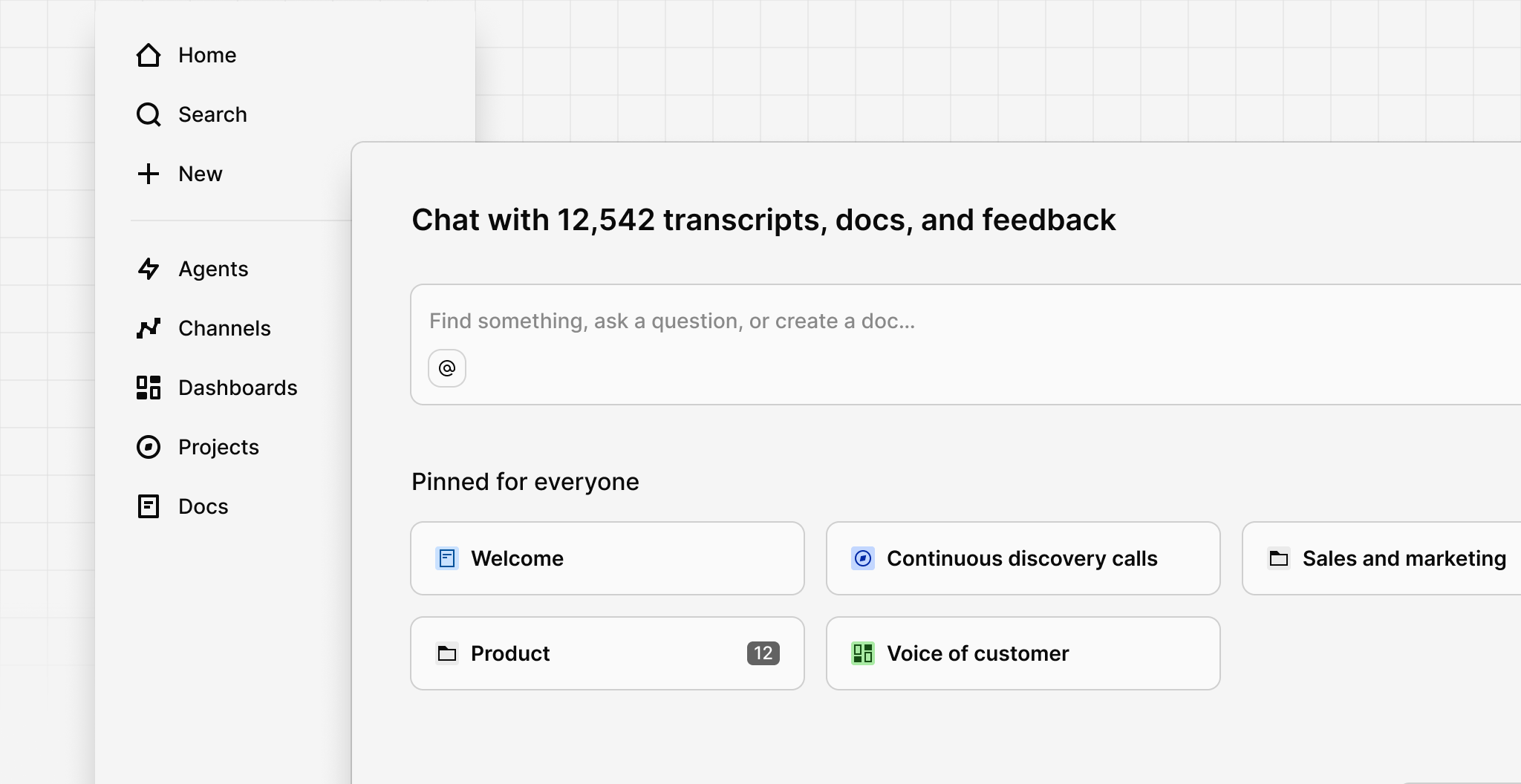
We’ve released dozens of updates to the overall Dovetail experience, designed to help you find insights faster, reduce clutter, and smoothly scale your workspace as feedback volumes grow.
This new content-first, relevance-driven experience is now personalized by default, allowing each user to easily access the most relevant information based on what matters most to them. A personalized experience makes it a lot easier to scale workspaces that have lots of data and users.
The new experience is available as an opt-in beta for now.
New Home page
The new Dovetail Home is now automatically personalized for every user. No setup is required to keep it relevant as teams and workspaces expand. This means less work for workspace admins and more relevant content for end-users. Here’s what you’ll see on the new Home:
- Chat. The quickest way to discover insights. Instead of navigating folders or browsing through pages, just ask a question in natural language and receive an answer instantly.
- Pinned for everyone. Admins can pin important things like key projects, docs, or folders, ensuring critical resources and workspace guides are easily accessible.
- For you. This section displays content based on your unique activity in Dovetail. Quickly access data, docs, projects, agents, dashboards, and other things you have recently viewed or created. The content in this section is unique to each user and updates automatically based on activity.
- Everything. This section shows the top-level folder structure of your workspace, as well as anything that has been created at the root level of the workspace (i.e. outside a folder).
Navigation improvements
We’ve made several changes to how you navigate Dovetail to make it faster and easier to get around, including updates to the creation flow, sidebar, and folder pages.
- A new way to create objects. Describe what you need, and using keyword and semantic matching, Dovetail will guide you to the right feature or workspace template.
- **Dedicated pages for Agents, Channels, Dashboards, Projects, and Docs. **These make it easier to access these objects from the side navigation anywhere in the app.
- Updated folder pages. Folder pages have been redesigned to feel more familiar and put your content first, with rich preview thumbnails for many object types.
- Reorganized settings. Workspace settings have been rearranged into clearer groups including Profile, General, Team management, Data management, Structure, and Compliance.
Try it out
To enable the new Dovetail experience, click More at the bottom of the sidebar, then Enable for me at the top of the more menu. You can turn it on and off at any time.
- Notifications can be opened with with the n keyboard shortcut
- Notifications are now sent when inline comments are resolved
- Notifications are now sent when a comment is liked by someone
- Inline comments now appear on the right side of Doc if there’s room
- The integrations page has been redesigned for improved discovery
- Remove the last name in a mention ( e.g. @Travis) with backspace
- Highlights and highlight reels download ~50% faster
- Added a 0.75x playback speed for video and audio
- Insert emojis into the editor with a colon : shortcut
- Hit ⌘ + Enter on a doc to go full page
- Overall performance improvements
- Many bug fixes