Back
Published
26 January 2026
Tags
[Business & Enterprise]
[Enterprise]
[Professional]
Disconnect data source in Channels

Disconnect data source in Channels

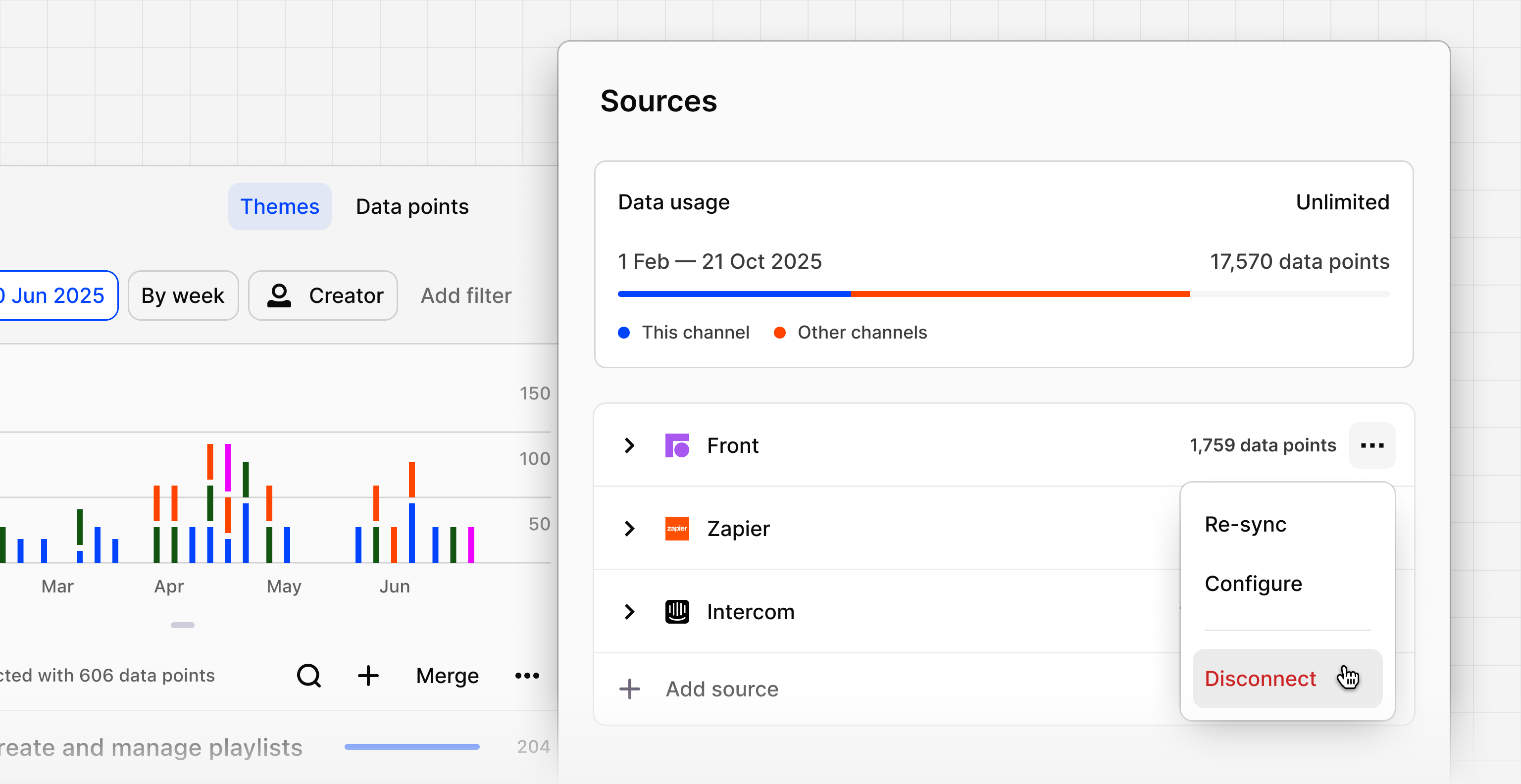
You can now disconnect a data source in Channels and stop any new data from being ingested.

This gives you more control over how data flows into your channel, whether you want to pause ingestion temporarily, you've connected the wrong source, or need to prevent unwanted data from coming in.

Instead of deleting the entire channel, you can now manage individual sources and maintain your data quality.


Previous

Create an Agent from chat

21 January 2026

Platform

  • AI Analysis
  • AI Chat and search
  • AI Dashboards
    beta
  • AI Docs
    beta
  • AI Agents
    beta
  • Pricing
  • Enterprise
  • Customers

Explore outlier

The product-building culture shift—minimizing the work around the work with Intercom’s VP of product
Log inTry Dovetail free
© 2026 Dovetail
Trust centerLEGAL AND PRIVACY