14 Jan 202600:00
Customizable board cards
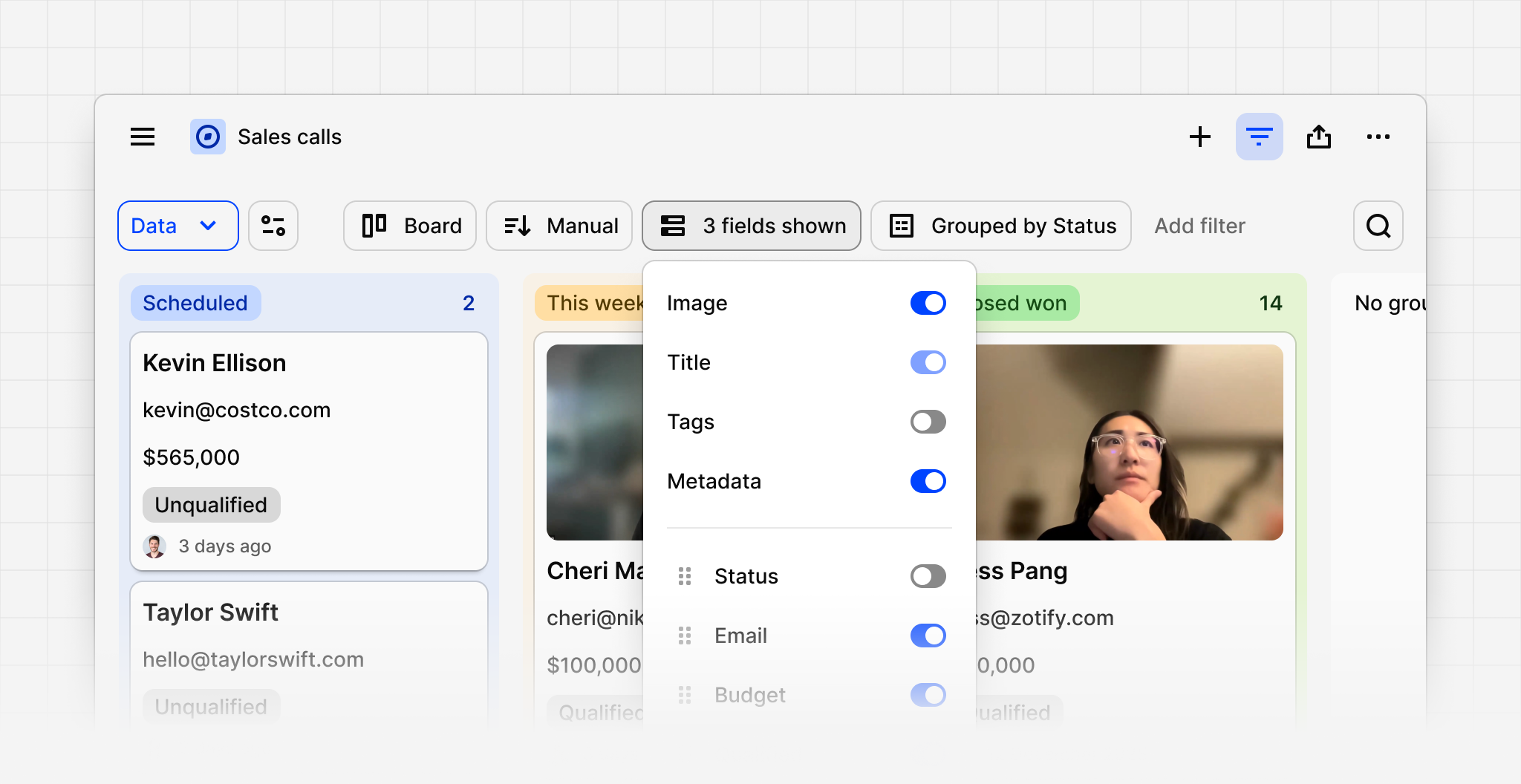
You can now customize what’s shown on data, highlight, and doc board cards within a project. This allows you to show more information on board cards including custom project and workspace fields.
Open a board layout within a project, click Filter in the top right, then Fields to control what’s displayed on your cards. You can toggle system fields like the image preview and metadata, as well as your custom fields. To make sure everyone else can see changes in your configuration, click Save for everyone.
We’d love to hear your feedback on customizable cards!