23 Mar 202611:30
Automatic redaction in Projects and Channels
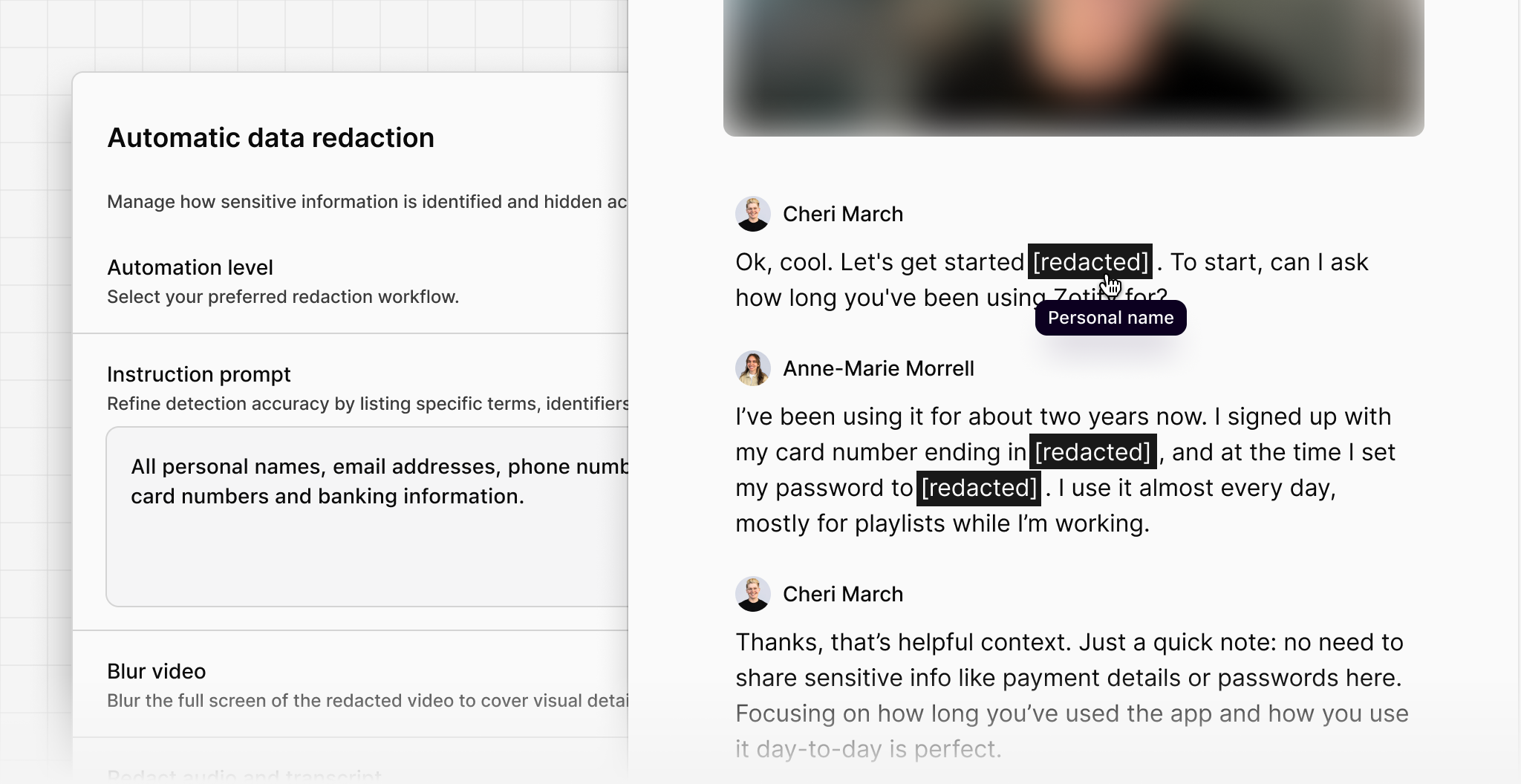
You can now automatically detect and redact sensitive information across Projects and Channels, significantly reducing the manual effort required to prepare and analyze customer data.
Workspace admins can set a custom prompt at the workspace level to identify and redact sensitive information across videos, audio, and transcripts within Projects, and data points in Channels.
Admins can configure redactions using three settings:
- Off: no automatic redaction or suggestions will be applied across the workspace.
- On: redactions are automatically applied whenever eligible content is processed.
- Suggest: in Projects, Dovetail suggests potential redactions directly in the transcript for review before applying, while in Channels, data points are automatically redacted due to high data volume.
Redactions and blurring also apply to relevant highlights and their references within Docs, ensuring sensitive information remains protected across your workspace.
You can find a full breakdown of how this feature works in our Help Center.